Reference an Issue
This step links a failing case to an issue that already exists in your bug tracker.
A new Standalone Project uses the generic Issues provider: Testspace can link to an existing issue by its URL, but can't create issues or comment on them.
Reference Existing Issue
Click the
mainSpace, select the Manual tab, and clickHello Manual.Click START.
Set
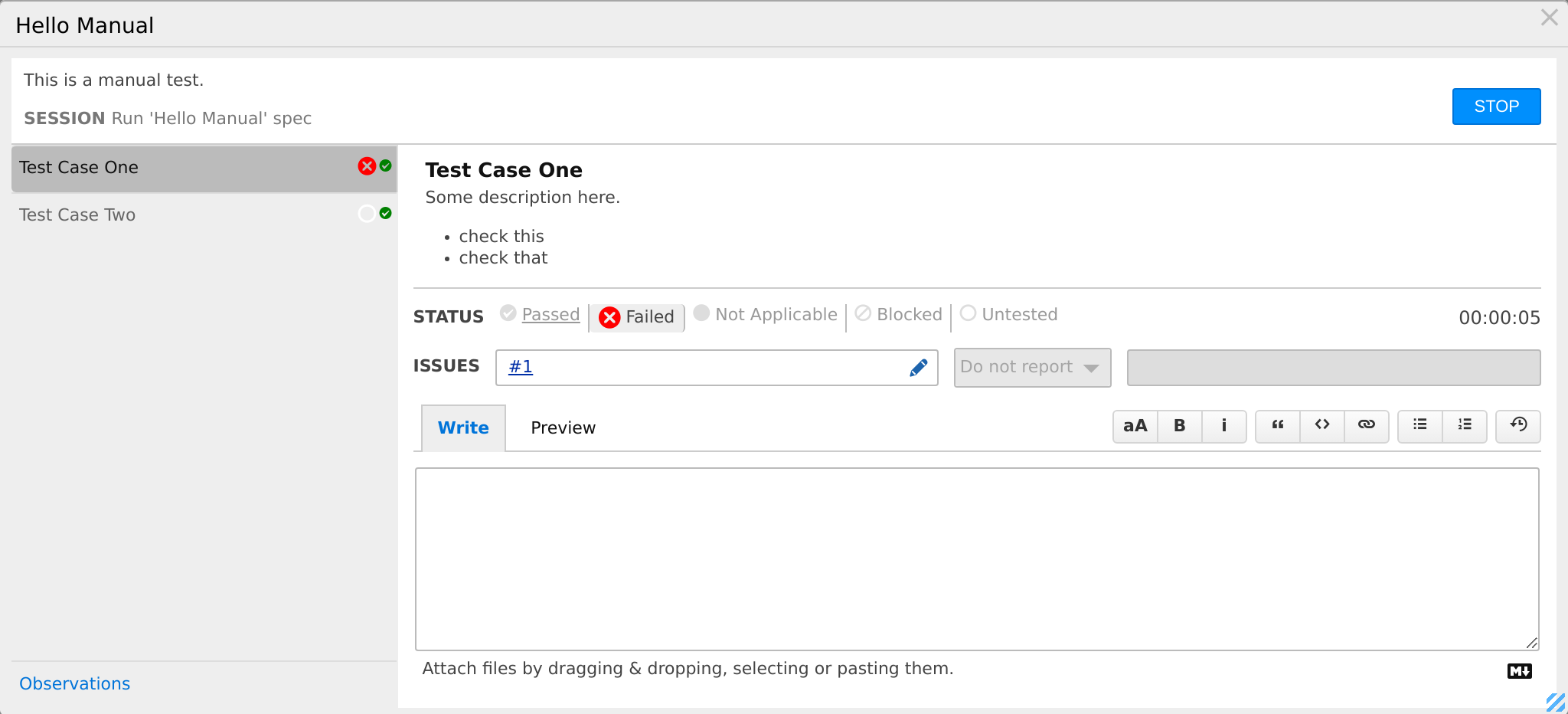
Test Case Oneto Failed.In the ISSUES row, click the pencil (Edit issues), paste the issue's full URL, and click SUBMIT. For example:
https://github.com/your-org/your-repo/issues/1https://yourcompany.atlassian.net/browse/PROJ-99
The case now shows the issue's label (
#1,PROJ-99), linked to the URL.Click STOP.
The URL must look like an issue link, such as /issues/<n> or /browse/<KEY>-<n>; Generic lists the accepted forms. An issue URL in the case's comment is picked up too.
On the Manual tab, the spec's Issues column now reads 1 open; click it to open the Result's Issues tab. A generic reference stays open, because Testspace can't follow its status.
The select next to the issues reads Do not report and is disabled: its tooltip says why. Its other options, Push new issue and Add Comment to #N, need a connected provider.
Connect a Provider
To create issues and follow their status, connect GitHub or Jira once for the whole Organization in Integrations, then choose a GitHub repository or Jira project in this Project's Issues provider setting (Standalone Projects). The run dialog then offers Push new issue and Add Comment to #N (Push New Issue), and Testspace follows each issue's open or closed status. Issue Providers compares what each provider supports.
Recap
This section covered referencing an issue from a failing case:
- With the
genericprovider, link an existing issue by pasting its URL into the case's ISSUES list - The reference shows on the case, in the spec's Issues column, and on the Result's Issues tab
- Creating issues and commenting on them need a GitHub or Jira provider, connected in the Organization's Integrations