Test Sessions
So far each run has been ad hoc, outside any formal Test Session. A Test Session is a set of specs run together for one purpose, such as testing a build. Each session is a Result in the Space.
A good practice is to create a new session for each build being tested.
New
- Click the
mainSpace and select the Manual tab. - Tick the checkbox of
Hello Manual. (The menu next to the checkbox above the list, Select specs, also selects All, None, Failing or Untested specs.) - Click New Test Session.
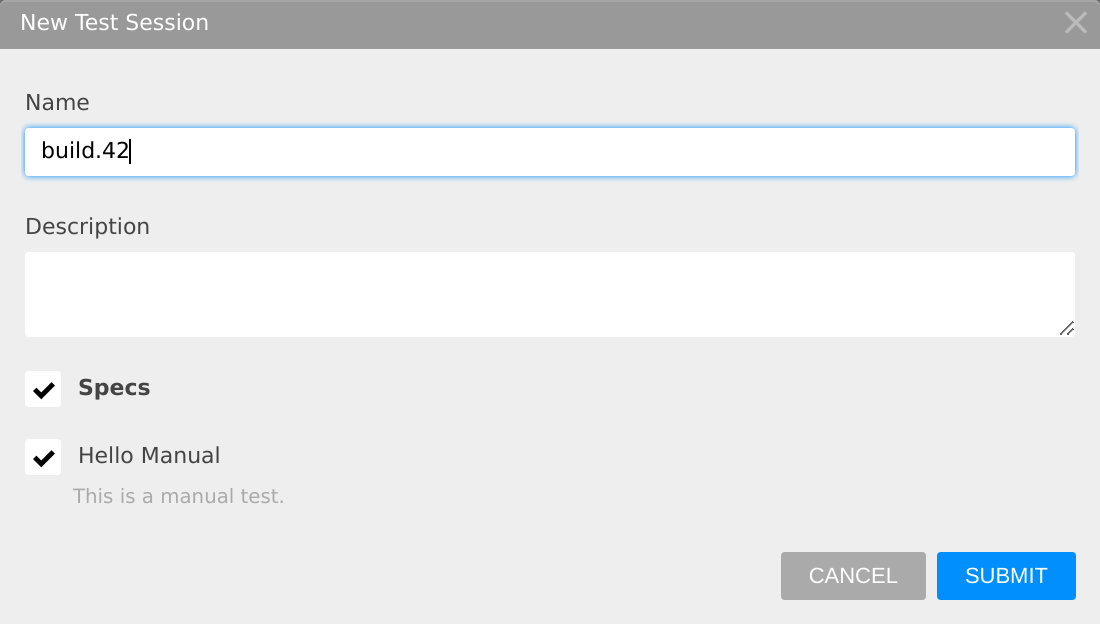
- In the New Test Session dialog, enter
build.42as the Name (left blank, it'sSequence_n), keepHello Manualchecked under Specs, and click SUBMIT.
The new session appears as a card at the top of the Manual tab, selected, and the list shows only its specs. Click a session's card to select it again later.

Run
- With
build.42selected, clickHello Manual. - Click START, set a status for each case, and click STOP.
With a session selected, START runs the spec in that session. A spec can be run more than once in the same session, and the session's card shows its progress, e.g. 1 failing or 2/2 passed. Running Tests describes the other ways to start a run.
Complete
When testing is done, complete the session: with it selected, click the blue check on its card (Complete this test session), or open the card's menu and select Complete.
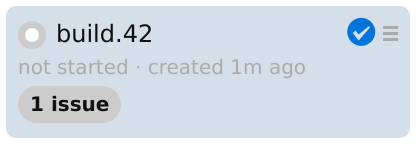
A completed session leaves the Manual tab, and its specs can't be run in it any more.
Results
A session is a Result: it's listed on the Space's Results tab and opens on the same Result page as published results, with its specs and cases under All tests, the failing ones under Failures, and referenced issues under Issues. See Review Results for reading a Result, and Running Tests for sessions in detail.
Recap
This section covered Test Sessions:
- A Test Session groups the specs run for one purpose, often a new build
- Select specs on the Manual tab, then click New Test Session
- With the session selected, START runs a spec in it, as often as needed
- A completed session leaves the Manual tab and remains as a Result