Session Observations
Exploratory Testing covered Spec Observations, available to any project. This page covers Session Observations — multiple testers contributing observations to the same test session — which requires a Connected project, since the built-in Exploratory session spec is only available there.
Multiple testers can add their observations to the same test session.
This assumes you've completed Connect a Repo and have a Hello Manual spec available (see Manual via Git if not).
Create a Session
Create a Test Session selecting only Hello Manual.
In the New Test Session dialog:
- Add a name for the session (e.g. build.42.0a)
- Enable the
Exploratoryoption - Add an optional description (e.g. Provide feedback on beta features)
- Select
SUBMIT

Once the Session is created a built-in Exploratory session spec will be provided.

Add Observations
Go ahead and click on Exploratory.
- select START
- Add comments, images, etc.
When done click on the STOP button.
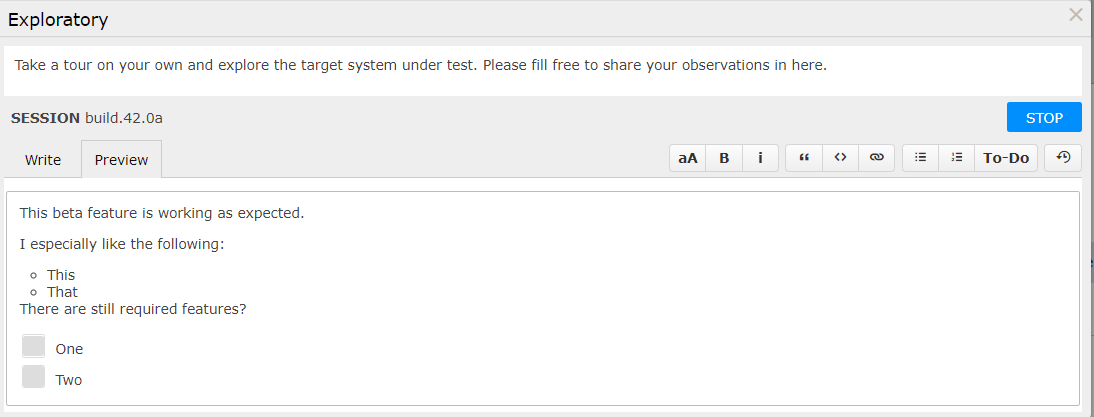
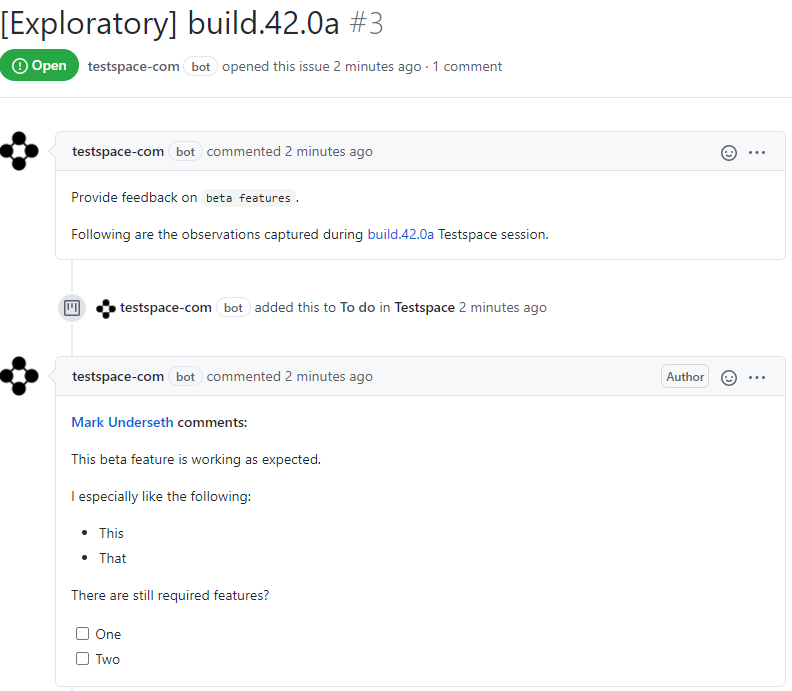
The Exploratory session can be executed by multiple users. All of the observations will be automatically added to a GitHub Issue and named after the session.
Recap
Testspace supports Session Observations for Connected projects:
- A Test Session can contain observations by multiple testers, via the built-in
Exploratorysession spec - A GitHub issue is used for managing the ongoing discussion of observations with other stakeholders