Issues
So far, in Using a Connected Repo you have connected a GitHub repo, published automated results via CI, and implemented and executed test specs via git. This section walks through managing test failures and GitHub Issues — now that GitHub is actually connected, Push New Issue works end to end.
Push New Issue
Let's now, on purpose, fail a test case, demonstrating how issues are auto-generated and managed using Testspace.
Click on a spec (e.g. Hello Manual) and select START. Set a case to Failed. Notice the automatic settings for the ISSUES row. Feel free to add some textual description concerning the failed test case, such as This is a fake test failure. When done select STOP — the issue is generated on STOP, not immediately when the status is set.
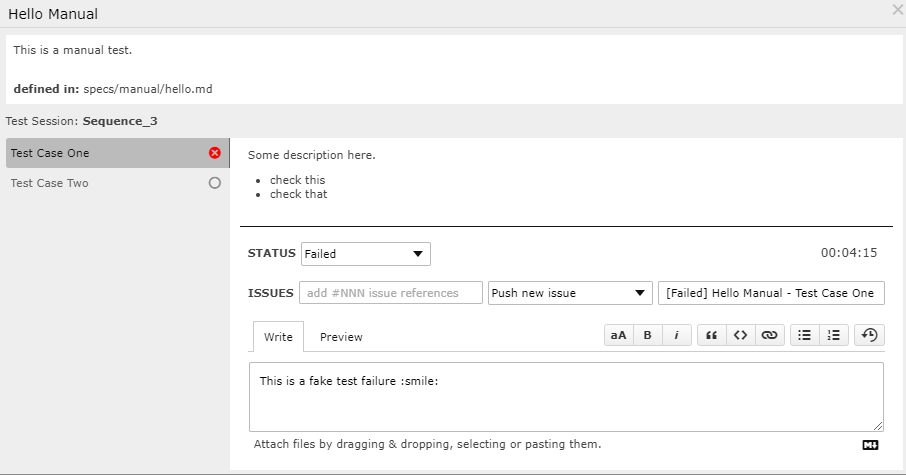
For Failed and Blocked status options, by default, an issue will be generated:
- The
Do not reportoption can be used to override the default behavior. - The issue
titleis auto-filled using a combo of the Status, Spec and Case Names.
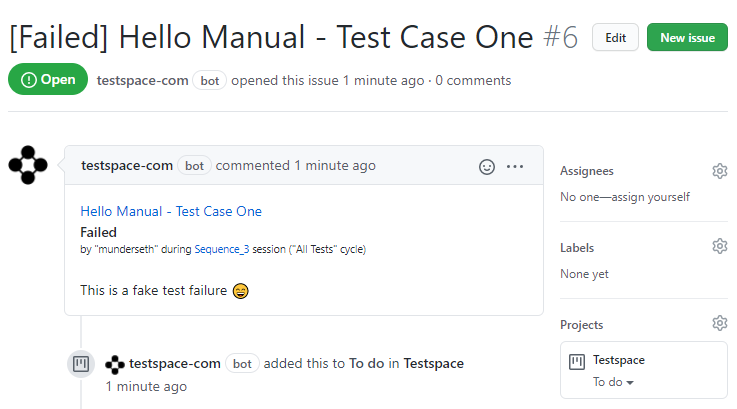
An Issue representing the failed test case will be automatically generated in GitHub.
Append to Issue
An existing issue can also be appended to during subsequent executions of the test case that is referencing it — one-way, from Testspace to the issue, on repeat failures.
- Run the spec again — select START
- Set the test case status to Failed
- Add a textual description -
The test is still failing - Select STOP
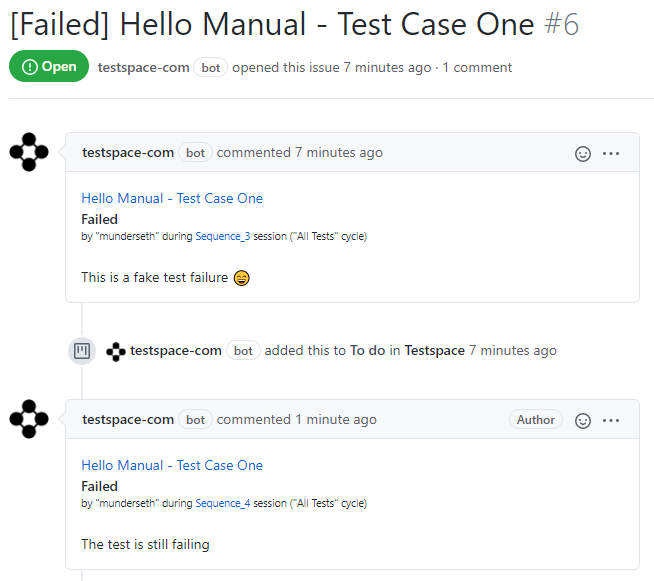
The GitHub Issue will be updated with the new comment information.
Close Issue
When an Issue is closed via GitHub the status is automatically reflected in Testspace — in real time via webhooks, or within a day via a backstop sync. See Issue Providers for how this works for Jira, GitLab, and Bitbucket too.
Recap
Testspace supports issue management, which is essential when communicating with the development team. The following built-in functionality has been covered in this section:
- When a test case fails the default setting is to
Push new issueto GitHub - New test case execution information can be
appendedto an existing issue - Closing the issue on the provider's side is automatically reflected back in Testspace